 EN ▾
Set up and finish a calculation
- 1Put the cursor on the page and tap one of the buttons (+, −, ×, ÷) in the Standard algorithm group of the keyboard.
- 2Type the numbers into the boxes you see. Their columns stay lined up as you work.
- 3Add each carry or helper mark yourself, then write the answer in its row.
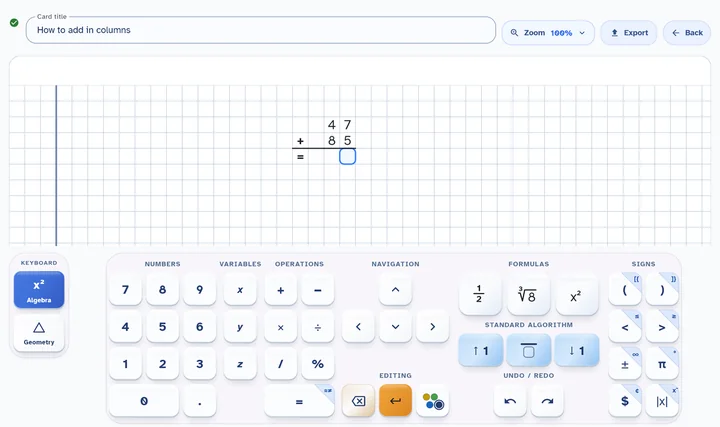

Fix a digit or a carry mark
Move to the box with the wrong digit or mark and replace it. The other columns keep their positions, so there’s no need to rewrite the whole calculation.
Who this can help
MathIt helps when your child understands the calculation but finds it hard to keep digits, signs or corrections in their columns. It records your child’s own work; it does not solve the problem. Why the writing breaks written calculations, step by step: Written calculations with dysgraphia.
MathIt is designed for Android tablets with a screen of 7 inches or more.
Frequently asked questions
Does MathIt solve written calculations?
No. It creates the layout and lets your child type digits and marks, but it doesn’t calculate or check the answer.
Can I fix just one digit?
Yes. Go back to the box with the mistake and change only that digit or sign.
Does the layout match my child’s school?
MathIt uses the layout that matches your country's school notation, for example long division with the divisor on the left and the answer above the bar in the US. Inside the layout your child works freely.
Can I export a written calculation as a PDF?
Yes. Tap Export, choose PDF, pick a folder and save the file. How to hand in homework as a PDF.
The screenshots show the English version of MathIt with an example of written addition. The app also has a built-in tutorial for written calculations.