 EN ▾
Save the page as a PDF
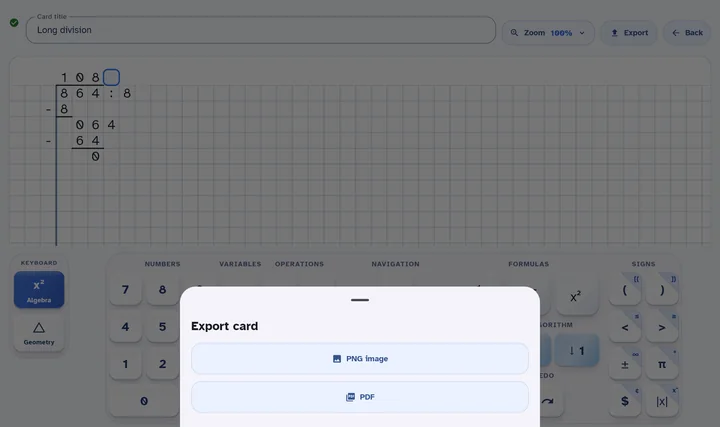
- 1Open the finished page and tap Export in the top right.
- 2Choose PDF in the export window.
- 3Pick a folder in Android’s save window, check the file name and tap Save.
Check before you send
Open the saved PDF on the tablet and make sure the whole page is visible, including fractions and helper marks. If something needs fixing, go back to MathIt, correct the page and export a new file. See an example PDF (a real MathIt export with no personal data).
Where the page comes from
MathIt is a math notebook for Android tablets. Your child writes the page there first, then exports the finished work as an ordinary file.
MathIt is designed for Android tablets with a screen of 7 inches or more.
Frequently asked questions
Does the teacher need MathIt to open the PDF?
No. A PDF is an ordinary file that can be opened, printed or forwarded without installing MathIt.
When should I choose PDF instead of PNG?
Use PDF for printing or handing in work. PNG is a picture of the page.
Does Export send the work automatically?
No. Export only saves a file. You choose how to send it, following your school’s instructions.
The screenshot shows the English version of MathIt. Android’s save window can look slightly different depending on the device.