 EN ▾
Maths notebook for dysgraphia · Years 4–9 (ages 8–14) · Android tablet
They know the maths. Now everyone can read it.
A maths notebook for tablets, for students with dysgraphia. The student solves the problem and enters every step. Large keys replace drawing symbols, the grid keeps digits aligned in columns, and finished work can be corrected and handed in to the teacher as a PDF.
MathIt helps the student write maths. It does not calculate or check the answer.
Many evenings look like this, and it is often not about the maths.
- 1.Writes the same exercise out a third time, because nobody could read the first one
- 2.Gets the arithmetic right, but the digits slip out of the column and the answer comes out wrong
- 3.Spends longer on a single fraction than on the whole exercise
- 4.Cannot keep up with the notes — the class is already three lines ahead
- 5.Hands the work in and is told it cannot be marked
For a student with dysgraphia, with graphomotor difficulties or with slow handwriting — and anywhere handwriting is hard to read.
It is not a shortcut. It removes an obstacle that was never the point of the exercise.
The teacher can read the work, so handwriting stops being the obstacle.
Not sure if it is dysgraphia? Read our guide for parents →When forming the character is harder than the maths
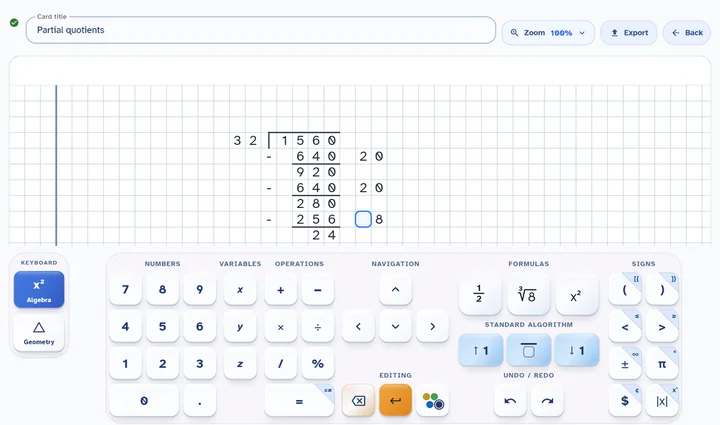
The same division, twice. The calculation is correct, but an unclear digit changes the answer.
Comes out 139 instead of 138. The student wrote a 5, then read the circled character as a 6. Every step after it is correct arithmetic on the wrong number.
138. Every digit sits in its own square, so the answer is the one the student actually worked out.
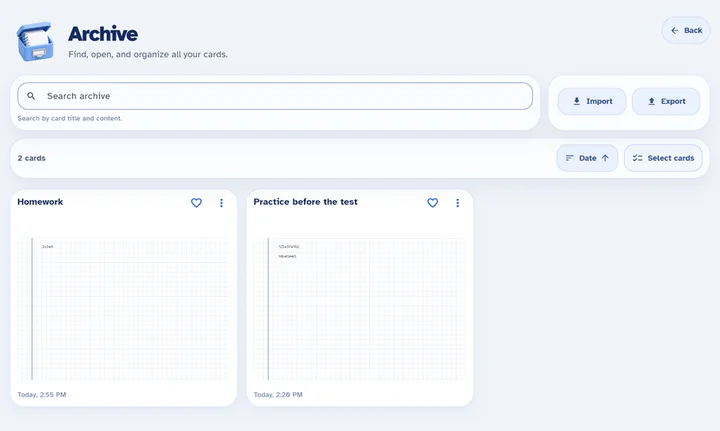
From a blank card to handed in
Four steps, and nothing to set up in between.
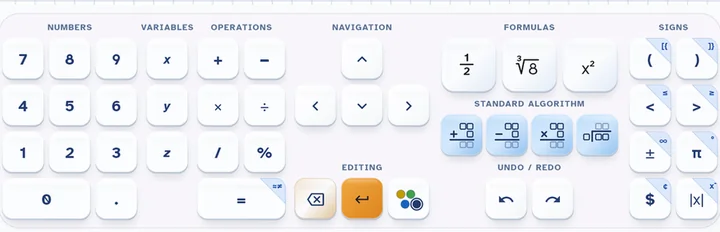
A maths panel built for maths, not just a number pad
Designed for one subject: the layout, order and size of every key are chosen so that using it takes little effort. Everything needed sits right next to the page. Nothing to look for, nothing to switch.
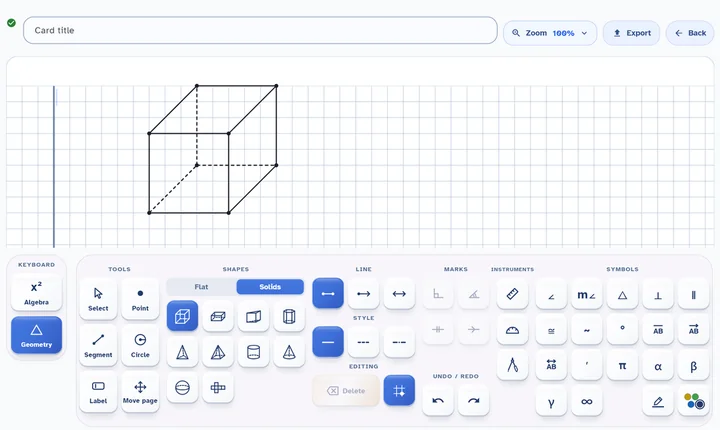
Geometry, on the same squared paper
Geometry is in the app: points, segments and circles, flat shapes and solids, angle and parallel marks, and the symbols geometry is written with.
Help is built into the app
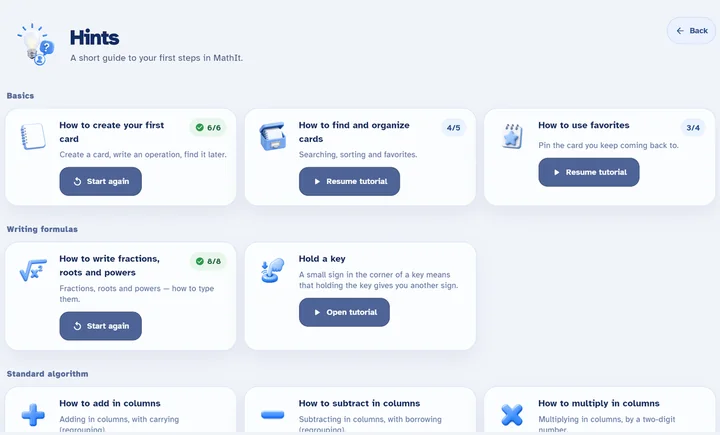
From the very first screen MathIt leads the way. Short walkthroughs show step by step how to start a page, write a fraction or work a long division — and the app remembers where the child stopped.
Your settings
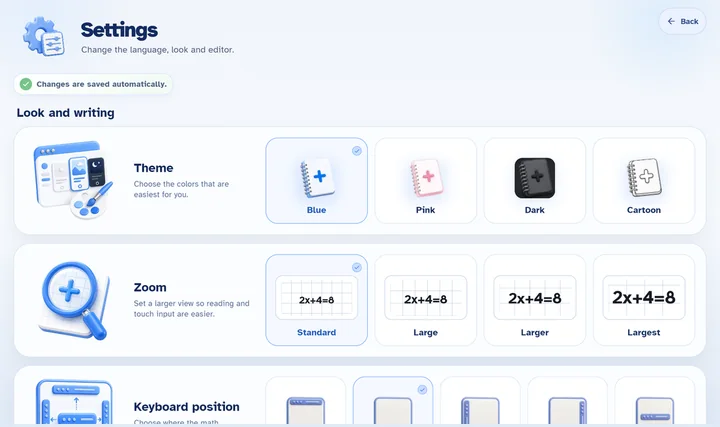
Pick a look that is easy on your eyes. Move the keyboard to wherever your hand rests. Your cards are yours. They stay on the tablet unless you export them or send a report.
What happens after 30 November 2026
Pricing
Until the end of November the app is completely free. After that, one thing becomes paid: writing and editing pages. Everything already written stays available to open and export at no cost. A new subscription starts with 7 days free (monthly plan) or 30 days free (yearly plan).
One thing is paid: writing and editing pages. Everything already written stays available to open and export at no cost.
If the price is a real barrier for your family, write to us.
Full terms for parents: what stays free, what happens when it lapses and how to cancel →Write to us
Ask about anything — before you install or long after. We are here to help, to advise, and to listen.
If it is about how the app behaves, the report form inside the app is the faster route — it is under Help.
A page anyone can read.
For the student who knows how to do it, and keeps losing marks because of the handwriting.
 Google Play
Scan or tap to install